MindHunt AI + Djinni integration — Djinni applicants in your pipeline, screened by AI
Connect your Djinni API key to MindHunt AI, link a vacancy, and every Djinni applicant lands in your Applications stage, ranked by AI against the job description. Step-by-step guide with screenshots.
Connect Djinni to MindHunt AI once, and every application to your Djinni vacancy shows up in your MindHunt AI pipeline automatically, where AI scores the candidate against the job description. The integration runs on Djinni's official API: we only read applications and never publish or change anything in your Djinni account.
What you get
- • Djinni applicants land in the Applications stage of your MindHunt AI position, with contacts, resume and cover letter.
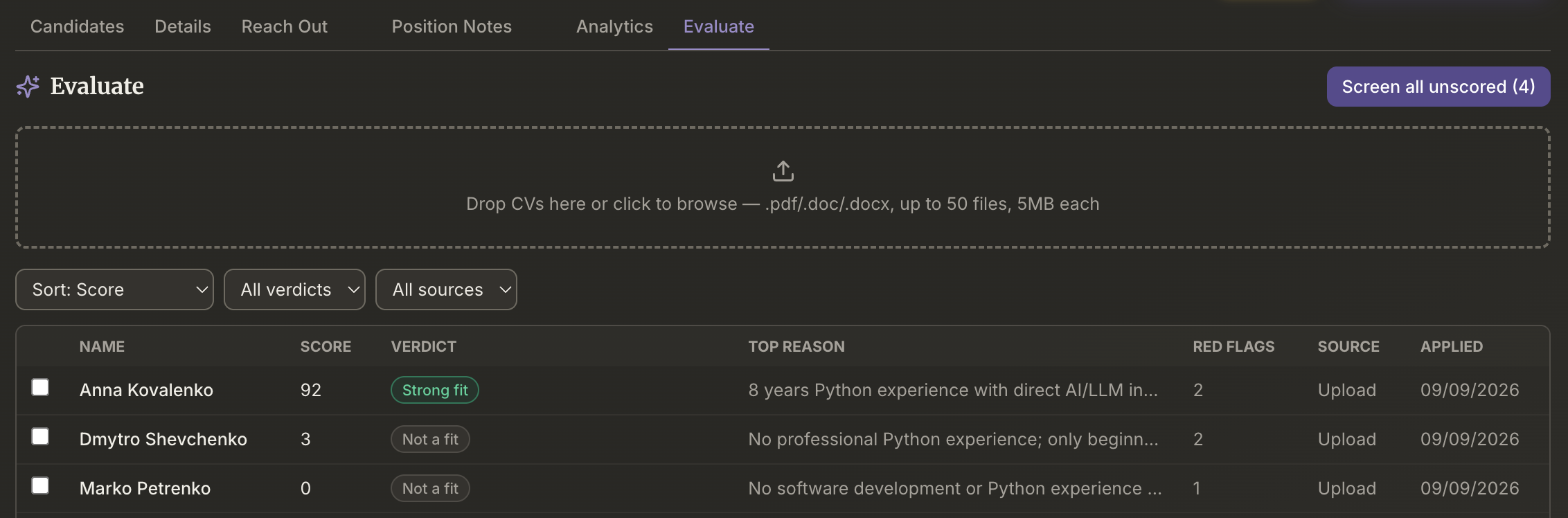
- • AI screening on the Evaluate tab ranks them against the job description: a score, a verdict, the top reason and red flags for each.
- • Available on every plan, including Free (Free includes 50 AI screenings a month).
Step 1. Get your API key from Djinni
- Log in to your employer account on djinni.co.
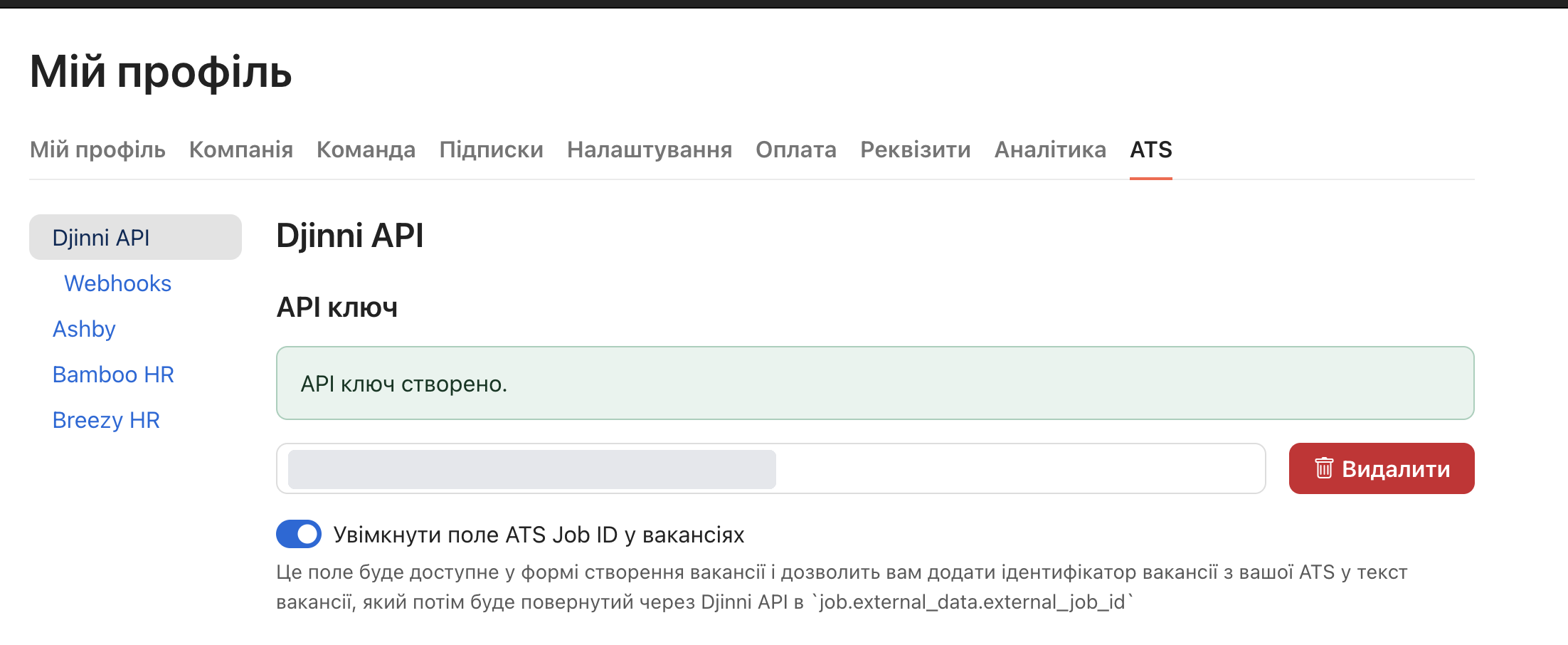
- Open My profile → the ATS tab → Djinni API.
- Under API key, create a key if you don't have one yet, and copy it.
If there is no ATS tab in your profile, email magic@djinni.co and the Djinni team will enable it. MindHunt AI will only see the vacancies the key's account can access.
Step 2. Connect the key in MindHunt AI
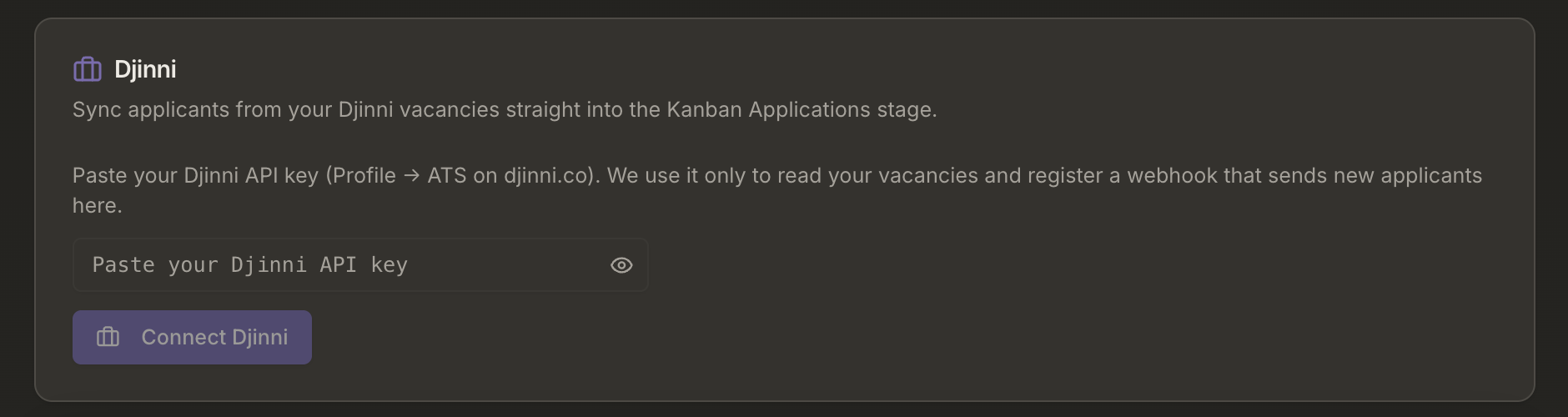
- In MindHunt AI, open Account → Integrations.
- In the Djinni card, paste the key and click Connect Djinni.
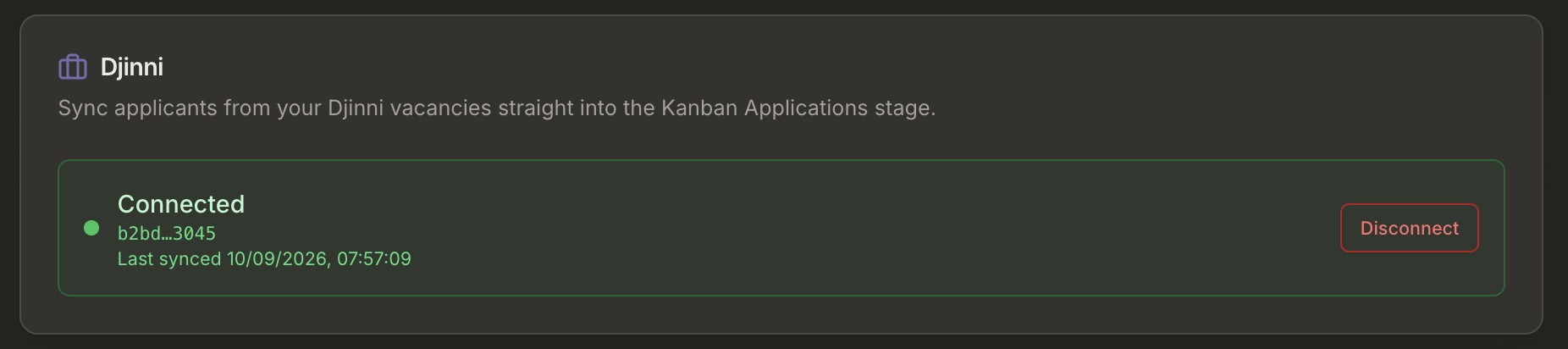
- The card switches to Connected as [your Djinni email].
On connect, MindHunt AI validates the key and registers a webhook at Djinni so new applications reach you right away. Only the team's account owner can connect or disconnect Djinni; team members work through the owner's connection.
Step 3. Link a position to a Djinni vacancy
- Open the position in MindHunt AI → the Details tab.
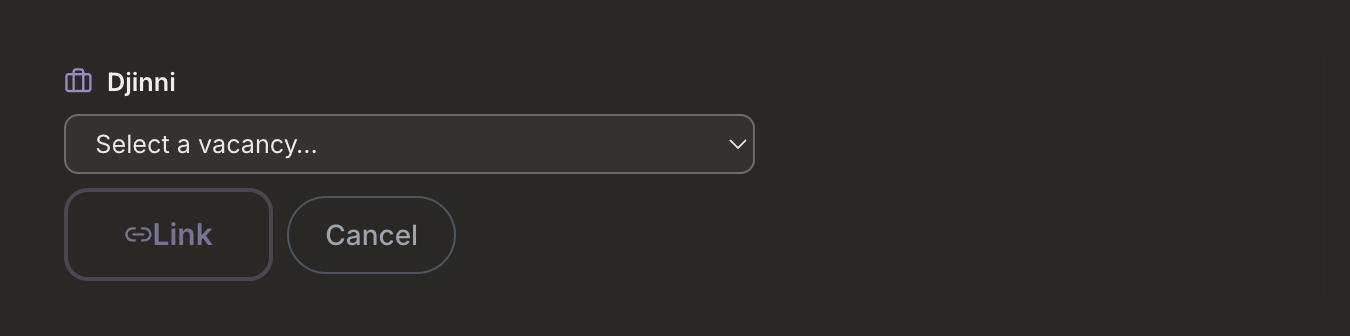
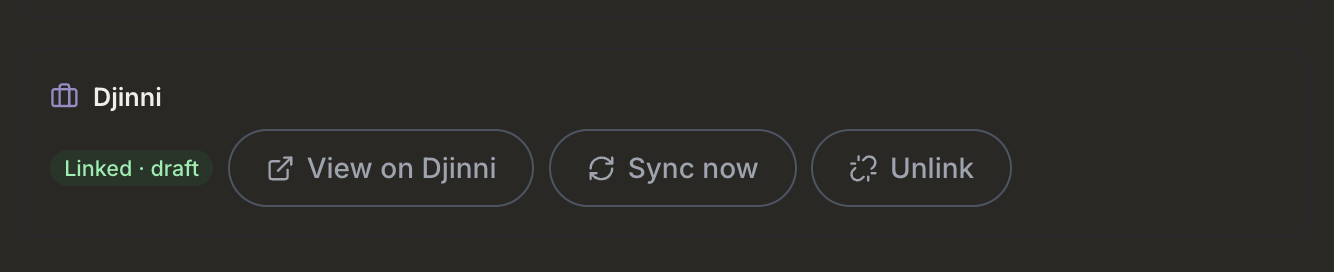
- In the Djinni card, click Link a Djinni vacancy.
- Pick the vacancy from the list of your open Djinni vacancies and click Link.
You keep creating and editing vacancies in Djinni itself — MindHunt AI never publishes or edits them. Tip: switch on Enable the ATS Job ID field in vacancies in Djinni (same ATS tab) and put the MindHunt AI position ID (it is in the position page's URL) into that field on the vacancy — the vacancy is then flagged as a suggested match in the list.
Step 4. Applicants arrive automatically
- A new Djinni application appears in your position's Applications stage almost immediately, via the webhook. Every 3 hours MindHunt AI also reconciles the application list with Djinni, so nothing is lost even if a webhook is missed. Sync now in the Djinni card pulls applications immediately — click it right after linking to bring in the applications you already have.
- The candidate card carries the name, contacts (when the candidate shared them on Djinni), LinkedIn / GitHub / portfolio links, the resume (stored with the candidate's files), the cover letter, answers to the vacancy questions, the application date and the source Djinni.
- If the candidate did not share contacts, the application is still created and flagged for a quick manual look. Nothing is dropped silently.
Step 5. AI screening on the Evaluate tab
- Open the position's Evaluate tab.
- Click Screen all unscored — AI scores every new candidate against the job description.
- Each row shows the score, verdict, top reason and red flags. Click a row for the full profile with the reasoning.
AI screening never rejects or advances anyone on its own — it is decision support, and the decision is always yours.
Disconnecting
Account → Integrations → Disconnect in the Djinni card. MindHunt AI deletes its webhook at Djinni and the key on our side; your vacancies and applications on Djinni are untouched. Unlink on a position only removes the link — the Djinni vacancy is not affected.
FAQ
What exactly does MindHunt AI read through the Djinni API?
Your vacancy list (title, status, link) and the applications to linked vacancies: name, contacts, links, resume, cover letter, answers to the vacancy questions, application date. The key is used for that and for registering the new-application webhook, nothing else.
What does MindHunt AI never do in Djinni?
It never creates, publishes or edits vacancies. It never messages candidates. It never searches Djinni's candidate database. It never logs in to the Djinni website on your behalf. Everything goes through the official API with your key.
How is the key stored?
Encrypted. The card shows only its last characters; the full key is never displayed or logged. Disconnecting deletes it.
What does it cost?
The integration is included on every MindHunt AI plan at no extra charge. The terms of posting on Djinni, including its success fee on hires, are your own relationship with Djinni: MindHunt AI is not a party to them and adds nothing on top.
What if the key stops working?
If Djinni reports the key as invalid (for example, you generated a new one), the card shows Reconnect — paste the new key. Sync pauses only until you reconnect.
Can MindHunt AI see candidates who did not apply to my vacancies?
No. The Djinni API offers no candidate search, and MindHunt AI does not use one.
Can several positions link to the same vacancy?
No — one Djinni vacancy links to one MindHunt AI position.
Need help?
For questions about the API key itself or the ATS tab, contact the Djinni team at magic@djinni.co. For everything else, reach us through the contact form: mindhuntai.com/contact.
Inbound recruiting: every application from every board in one pipeline → | Free job posting sites 2026 →
Try it free — Djinni sync and AI screening are on every plan, including Free.